✓ Only 1 Key Needed • 30 Seconds • No Credit Card
Google Gemini API Setup Guide
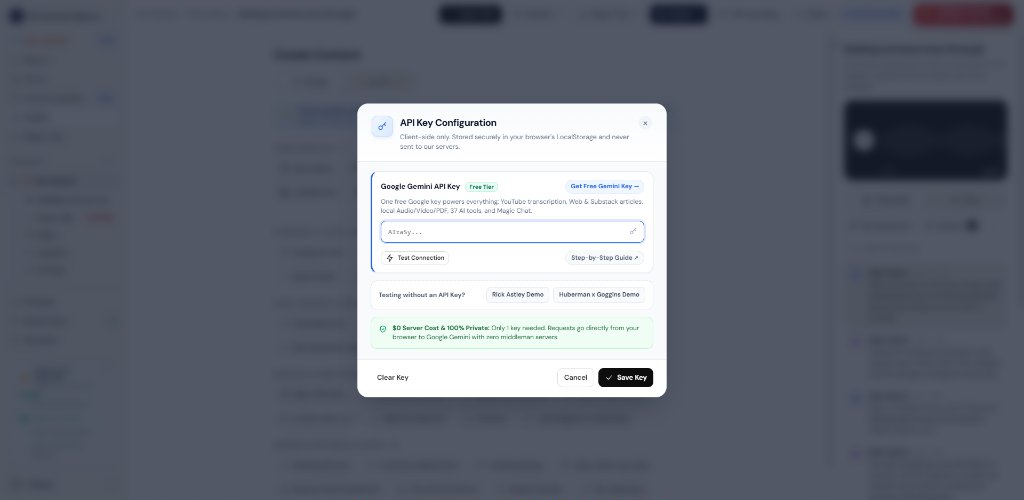
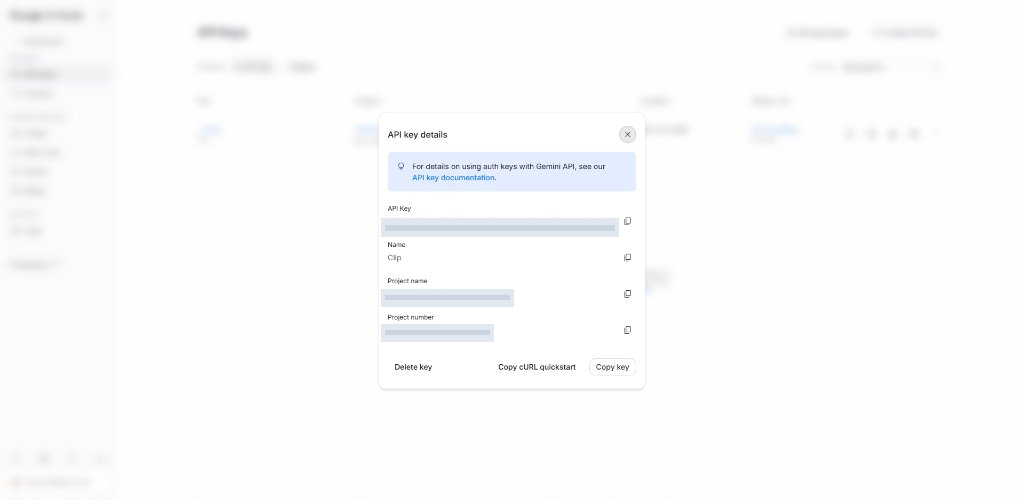
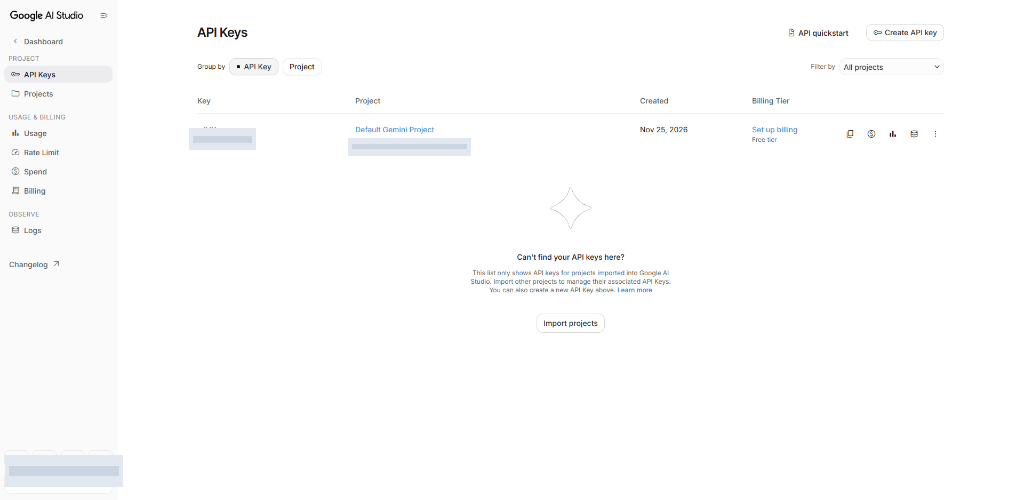
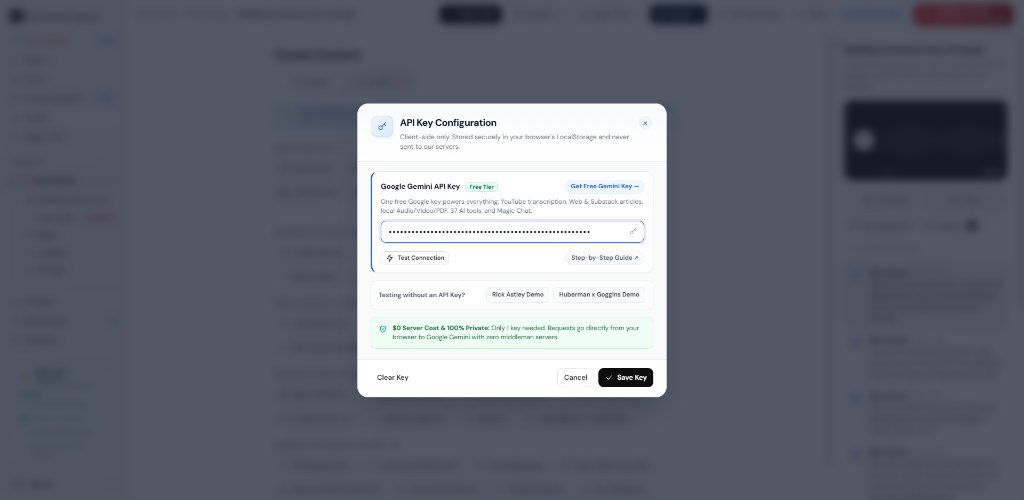
VastClip runs 100% locally in your browser (BYOK). Connect just one free Google Gemini API key to unlock YouTube transcription, Web & Substack imports, local Audio/Video/PDF processing, and all 37 AI repurposing tools.
🎬 YouTube Direct
🌐 Substack, Medium & Web URLs
🎙️ Local Audio, Video & PDF
✨ 37 AI Tools & Magic Chat
⚡ Optional Upgrade • $0/mo Fixed Fee • Pay Only What You Use
Unlock Unlimited Daily Runs (Pay-As-You-Go)
Hit Google's Free Tier daily cap (~20 requests/day per model)? Enable Google AI Studio Pay-As-You-Go in 60 seconds to lift daily limits to thousands of runs — with no monthly subscription.
$0 / month
No subscription fee. Billed postpaid only if you use it.
~$0.001 / draft
~30 videos & 250 drafts typically cost ~$0.50–$1.50/mo total.
1,000s / day
Instant Tier 1 quota on your existing API key.
1
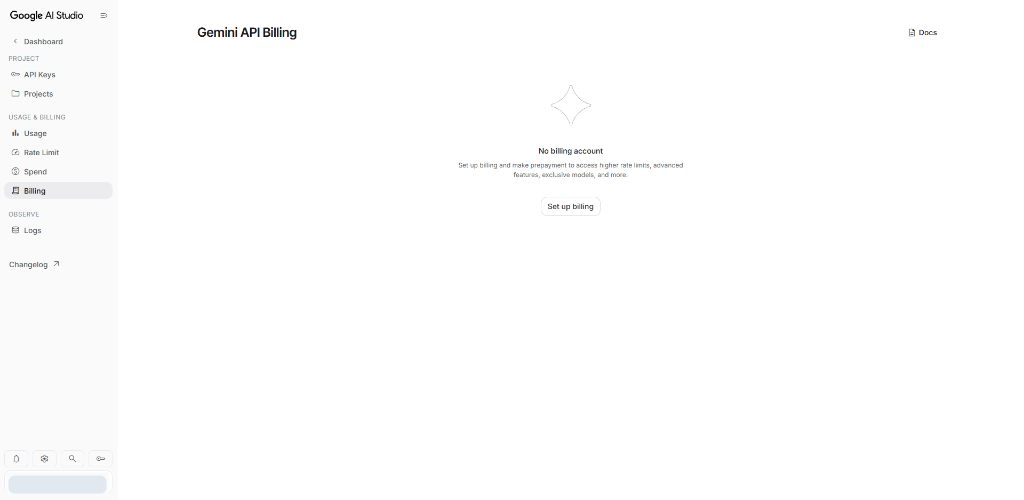
Open Google AI Studio Billing & Click "Set up billing"
- Sign in with the same Gmail account you used for your Gemini API key and open the Billing page using the button below.
- Click the Set up billing button in the center of the page.
aistudio.google.com/billing
2
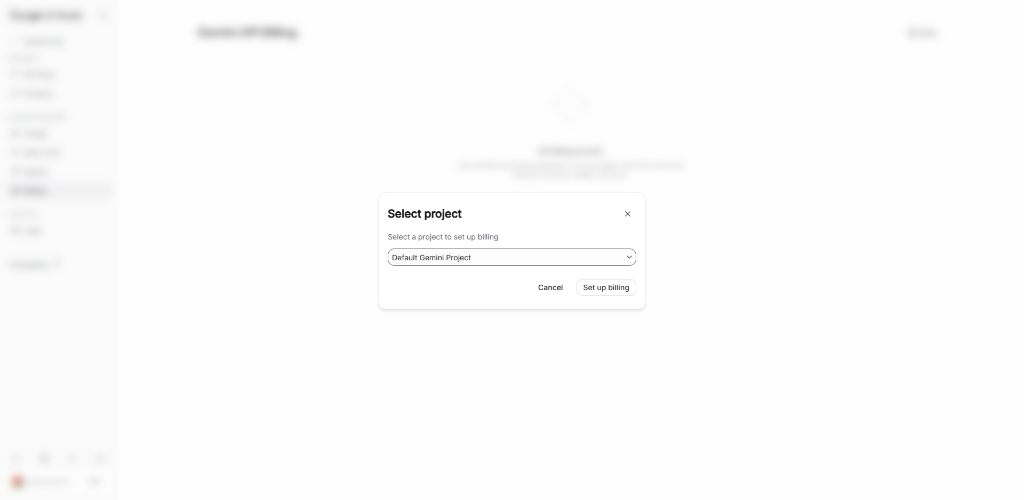
Select "Default Gemini Project" & Continue
- In the Select project popup, pick Default Gemini Project from the dropdown (so your existing VastClip API key upgrades automatically).
- Click Set up billing to proceed.
aistudio.google.com/billing — Select project
3
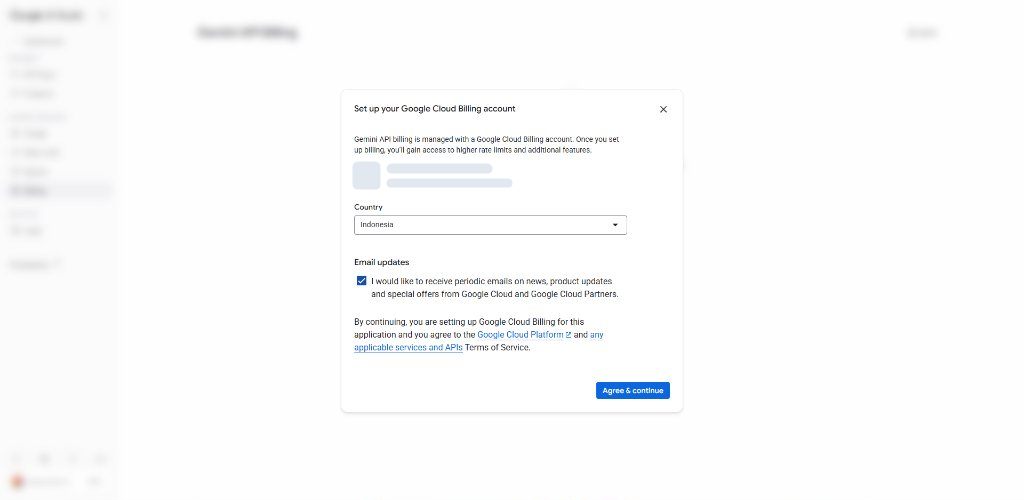
Confirm Country & Click "Agree & continue"
- Verify your country in the Set up your Google Cloud Billing account popup.
- Click the blue Agree & continue button.
aistudio.google.com/billing — Google Cloud Billing
4
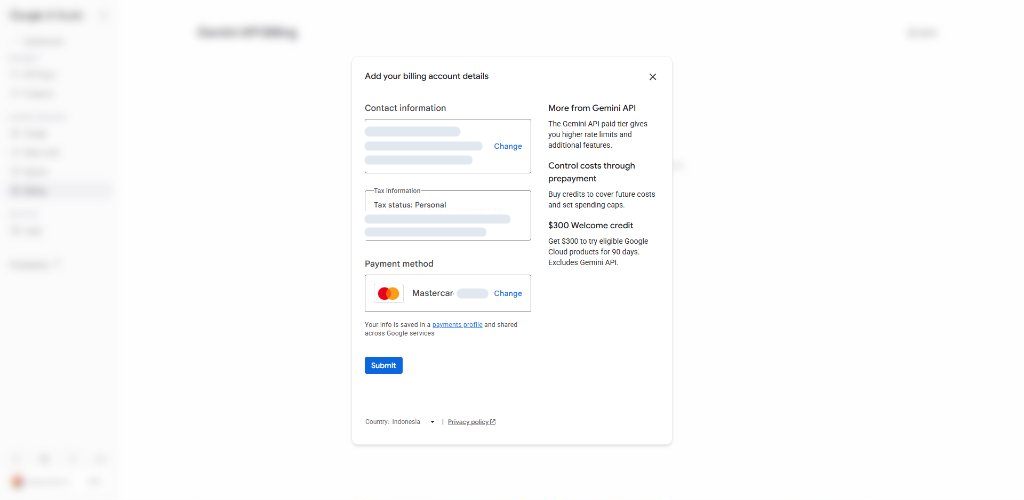
Add Payment Method, Submit & Return to VastClip
- Complete your Contact information, Tax information (if requested in your region), and add a Visa or Mastercard under Payment method.
- Click the blue Submit button to activate Tier 1 (depending on your region/card, Google uses either Pay-As-You-Go postpaid or prepaid credits).
- No need to create a new API key! Return to your VastClip tab and click Retry with Gemini — your existing key automatically unlocks thousands of daily runs.
aistudio.google.com/billing — Add billing details
Important note: A consumer Gemini Advanced ($20/month) chat subscription does not include API quota and is not needed for VastClip. Google AI Studio API billing is separate and costs a tiny fraction (~$0.001/draft) of a monthly subscription.
Do I really only need 1 API key?
Yes! Your single Google Gemini API key handles YouTube video transcription, Substack/Web article imports, local Audio/Video/PDF files, all 37 repurposing tools, and Magic Chat — no third-party transcript subscriptions needed.
Is the Google Gemini API really free?
Yes! Google AI Studio includes a generous Free Tier (up to 8 hours of public YouTube video/day and ~40 min per video using our low-token optimization, or up to 2 hours for local audio) with no credit card required.
What if I have a 2–3 hour podcast on Free Tier?
You can either upload the local MP3 audio (uses 3x fewer tokens than video), paste the transcript directly inside the Import modal (0 media tokens!), or enable Pay-As-You-Go in Google AI Studio (~$0.10 per 1-hour video).
Is my API key safe & private?
100%. Your key is stored only in your browser's LocalStorage and sent directly from your device to Google. VastClip has zero backend servers and never sees your key or content.